Shenya2
Open main character page Character Specs
Character Presets
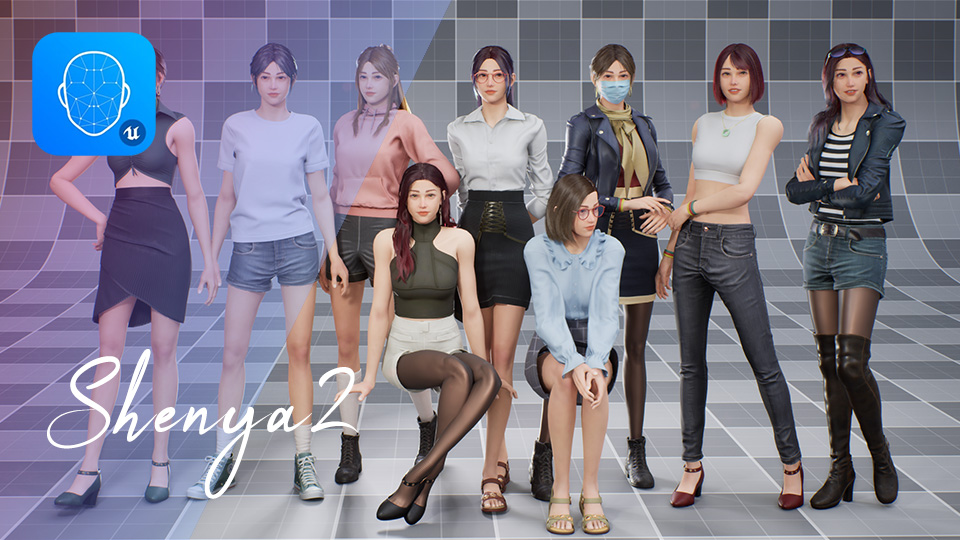
Section titled “Character Presets”Shenya2 includes two kinds of character presets:
- precombined skeletal mesh presets, which are ready-made character looks stored as mesh assets
- modular Blueprint presets, which assemble the character from separate body, hair, clothing, and accessory parts
Use the precombined meshes when you want the fastest setup. Use the Blueprint presets when you want to inspect or customize how the modular pieces are combined.
Precombined Mesh Presets
Section titled “Precombined Mesh Presets”You can find the precombined mesh presets in Shenya2 > Meshes:
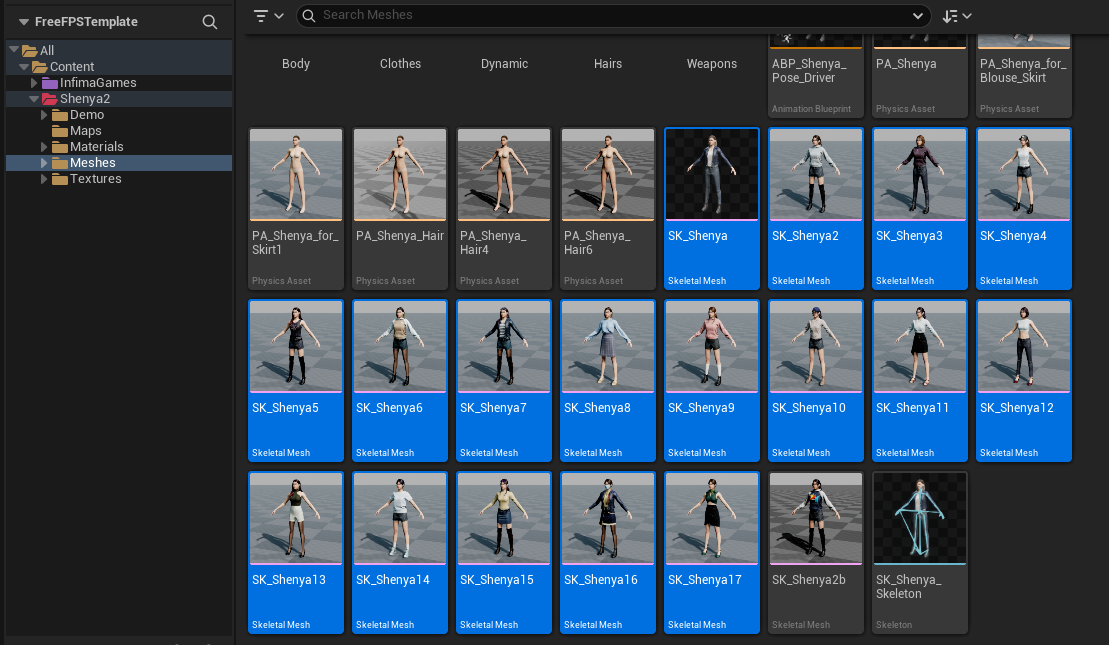
These are useful when you want to quickly place or test a complete Shenya2 look without manually assembling every mesh part.
Modular Blueprint Presets
Section titled “Modular Blueprint Presets”You can find the modular Blueprint presets in Shenya2 > Demo > Blueprints:
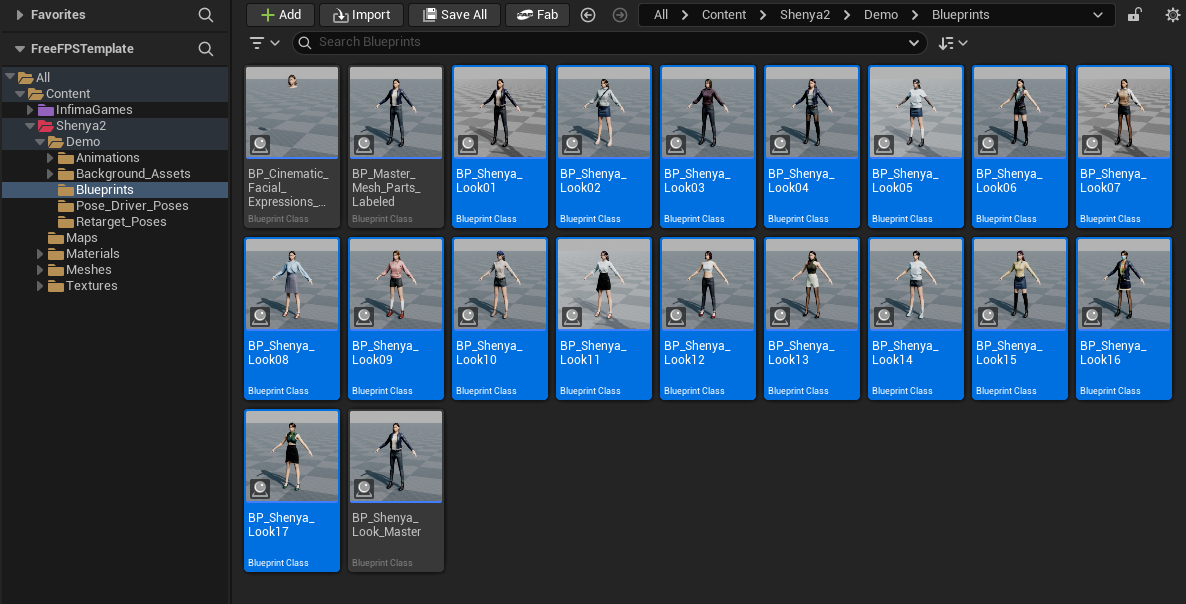
These Blueprints are built from separate modular mesh parts. The blueprint presets combines body mesh, hair, clothing pieces, and accessories into a single preview character, and you can use these blueprint presets as a starting point to create your own custom look.
Face Options
Section titled “Face Options”Shenya2 includes two face options. You can choose the version that best fits the character look you want to use.
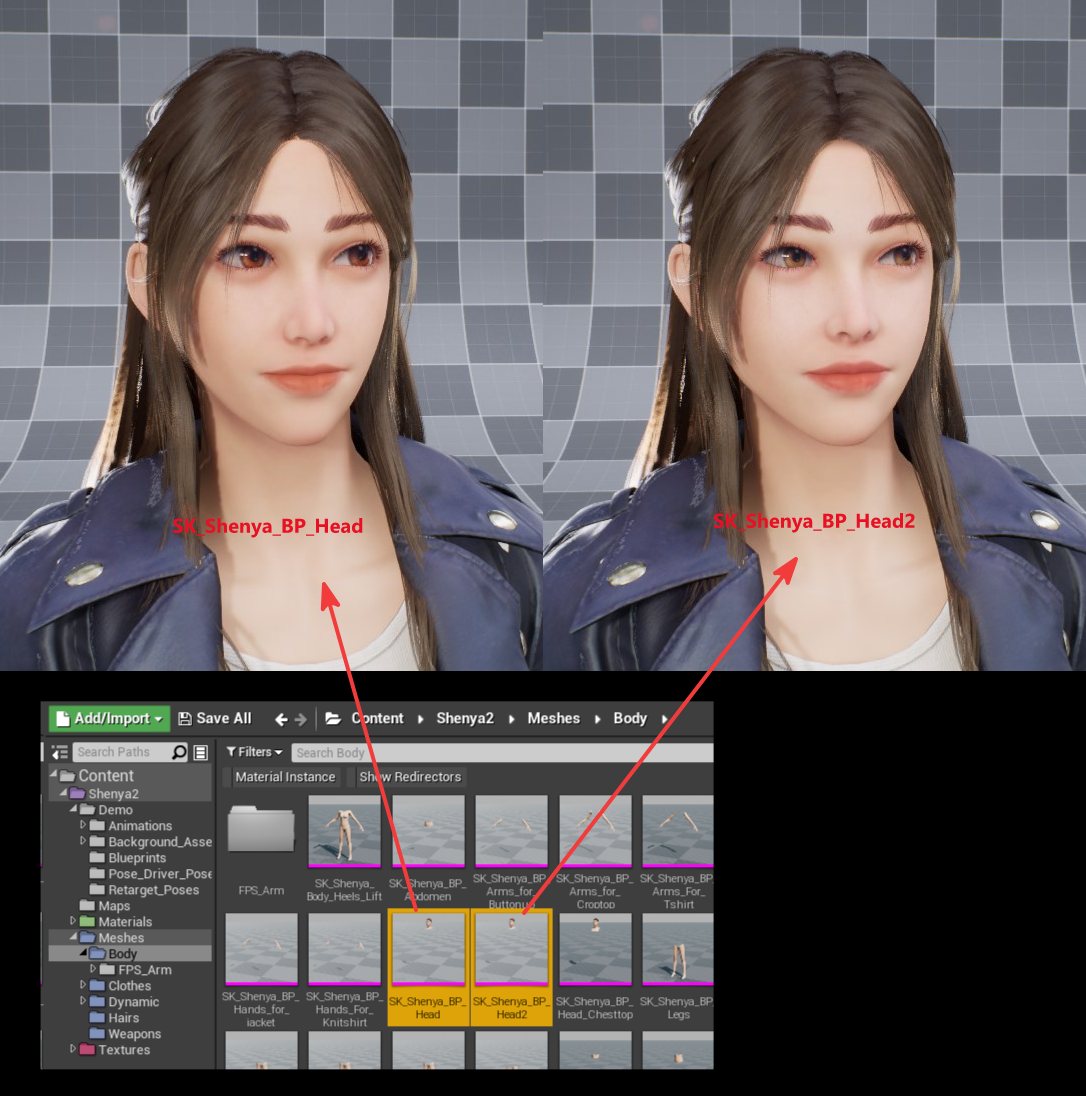
You can find the matching full-body meshes in:
/Content/Shenya2/Meshes/Body/
SK_Shenya_FullbodyusesHead1SK_Shenya_Fullbody2usesHead2
FPS Arms
Section titled “FPS Arms”Shenya2 includes a dedicated first-person arms mesh for projects that need visible arms in an FPS camera view.
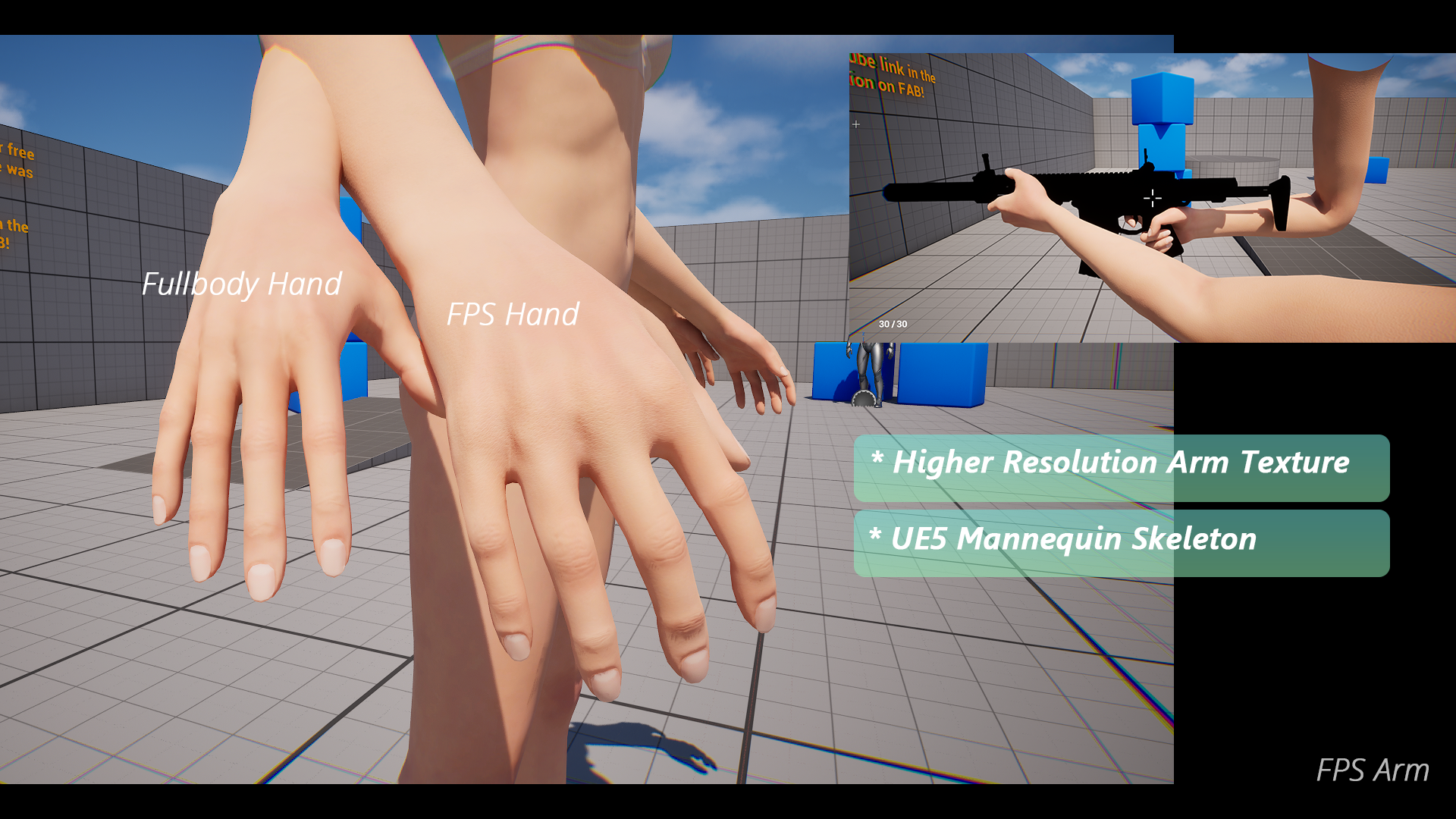
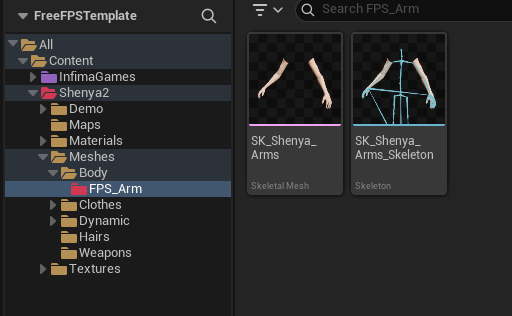
Included FPS Arm Assets
Section titled “Included FPS Arm Assets”The FPS arm assets are located under the Shenya2 > Meshes > Body > FPS_Arm:

Skeleton Compatibility
Section titled “Skeleton Compatibility”The FPS arms skeleton is based on the UE5 male mannequin skeleton.
This should make them a better starting point for FPS templates or marketplace systems that are already built around Unreal mannequin arms.
Dedicated Arm Textures
Section titled “Dedicated Arm Textures”The FPS arms use their own texture set instead of directly sharing the full-body character texture layout.
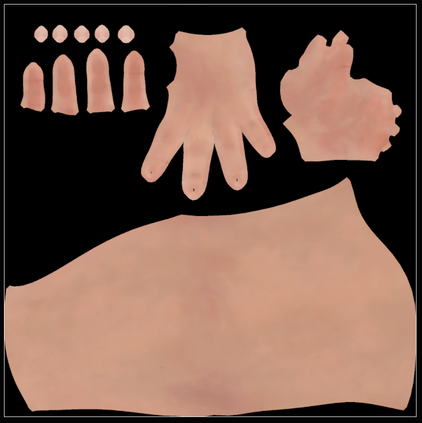
The UVs are laid out to give the arms more texture space, and the normal map was rebaked for the FPS arm asset. This helps the hands and forearms hold up better when viewed close to the camera.
Wrist Corrective Blendshapes
Section titled “Wrist Corrective Blendshapes”Shenya2 includes wrist corrective blendshapes on the character body mesh. These correctives are used to improve the shape around the wrist and upper hand when the wrist bends upward.

You can find the Animation Blueprint setup here:
/Content/Shenya2/Meshes/ABP_Shenya_Pose_Driver
The setup uses an Animation Blueprint pose driver. The pose driver reads the wrist pose and blends in the corrective shape when the hand reaches the matching angle.
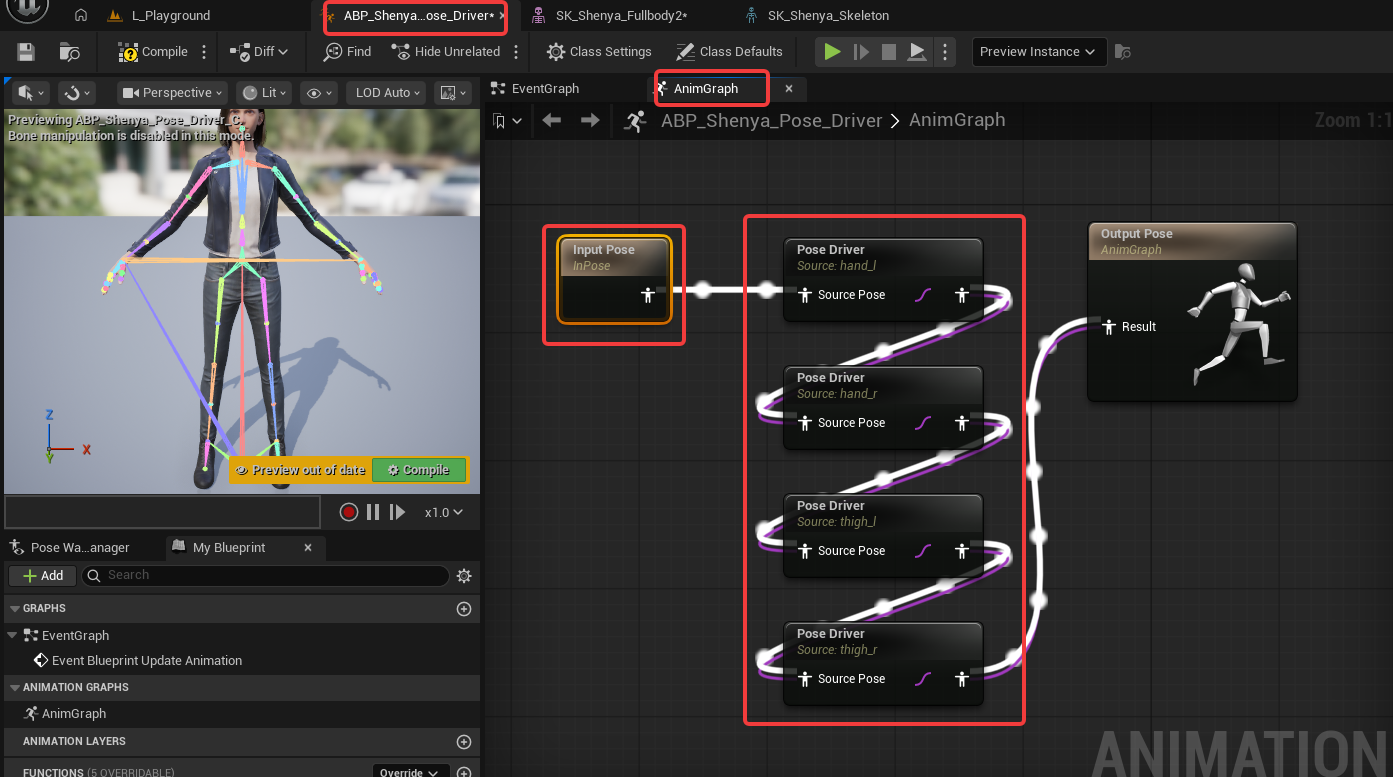
The graph includes pose driver nodes for the left hand, right hand, left thigh, and right thigh. These nodes use reference poses to decide when each corrective should activate.
The pose assets used by the pose driver setup are located here:
/Content/Shenya2/Demo/Pose_Driver_Poses/
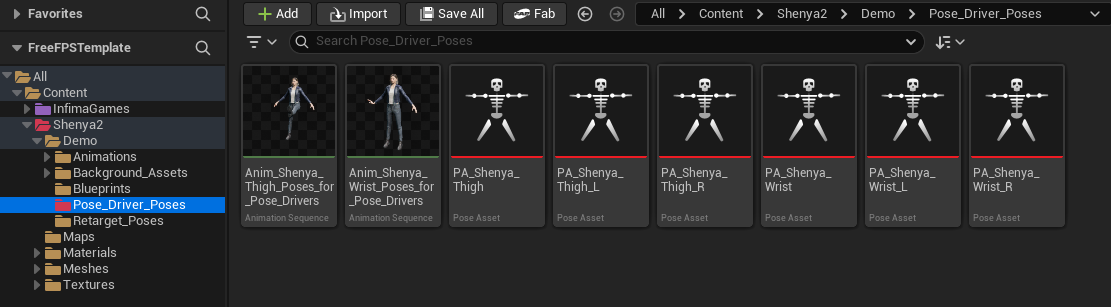
The thigh correctives help push the thigh shape inward so it is less likely to intersect with skirt meshes during movement.
Skirt-Friendly Leg Meshes
Section titled “Skirt-Friendly Leg Meshes”When a character wears a skirt, the normal thigh and buttock shape can intersect with the skirt during some poses and animations. Shenya2 includes alternate leg meshes for skirt outfits to help reduce this clipping.
These skirt-friendly leg meshes have the thigh and buttock area adjusted inward, so they leave more space for the skirt mesh.
You can find them under:
/Content/Shenya2/Meshes/Body/
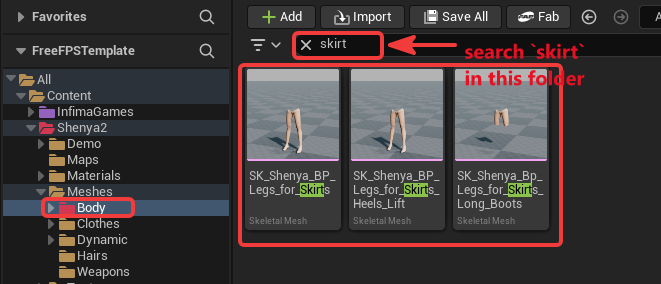
Search for skirt in that folder to find the available variants:
SK_Shenya_BP_Legs_for_SkirtsSK_Shenya_BP_Legs_for_Skirts_Heels_LiftSK_Shenya_BP_Legs_for_Skirts_Long_Boots
Use the variant that matches the outfit setup. For example, use the heels-lift version for a setup that uses lifted heel legs, and use the long-boots version when the character is wearing the matching long boot leg setup.